Summary
I just published a new repo on GitHub: SketchyBrowserExt. It's a curated list of browser extension IDs that I consider malicious, intrusive, or just plain untrustworthy. Right now it sits at 7,569 entries.
How it started
It began as a simple list. I started with the chrome-mal-ids project as a base and then kept adding to it. Every time I see new research get posted about malicious extensions, or a batch of them getting yanked from the store, the IDs go into the list. It's grown a lot since that first version.
What's in it
Everything lives in a single file, Malicious_or_Shady_BrowserExtensions.csv, with four columns:
- ID – the 32-character Chromium extension ID
- Name – the extension name, where I know it (241 entries don't have one)
- Browser – Chrome or Edge
- Source – where the entry came from, so you can trace it back to the research or removal report
The IDs are the same across Chrome, Edge, Brave, Opera, and Vivaldi, so the list works for any Chromium-based browser. To look one up, just drop the ID into https://chromewebstore.google.com/detail/<ID>.
One thing I want to be really clear about: inclusion is not an accusation. This list is my opinion, not verified fact. I'm not auditing the code of these extensions, and some of them may be perfectly legitimate. Verify before you act on anything in it.
Auditing a machine locally
The repo README has a quick way to check what's installed against the list. First, grab the installed extension IDs (this is for Chrome on Linux, other browsers and OSes just have different profile paths):
ls ~/.config/google-chrome/*/Extensions/ \
  | grep -E '^[a-p]{32}$' | sort -u > /tmp/installed.txt
Then pull the ID column out of the CSV:
tail -n +2 Malicious_or_Shady_BrowserExtensions.csv | tr -d '\r' | cut -d, -f1 | sort -u > /tmp/bad.txtAnd finally print any matches along with the name, browser, and source:
import csv

hits = set(open('/tmp/installed.txt').read().split()) & set(open('/tmp/bad.txt').read().split())
with open('Malicious_or_Shady_BrowserExtensions.csv', encoding='utf-8', newline='') as f:
    for row in csv.DictReader(f):
        if row['ID'] in hits:
            print(row['ID'], row['Name'] or '(no name)', row['Browser'], row['Source'])
Putting it to work in CrowdStrike
The real reason I keep this list up to date is that I use it at work. I upload the CSV as a lookup file in CrowdStrike Next-Gen SIEM and use it to fuel a dashboard that gets reported on weekly. The dashboard tracks the number of unique browser extensions seen across the environment, which users have a malicious extension installed, and any newly found malicious extensions for the week, with a table underneath for the details.
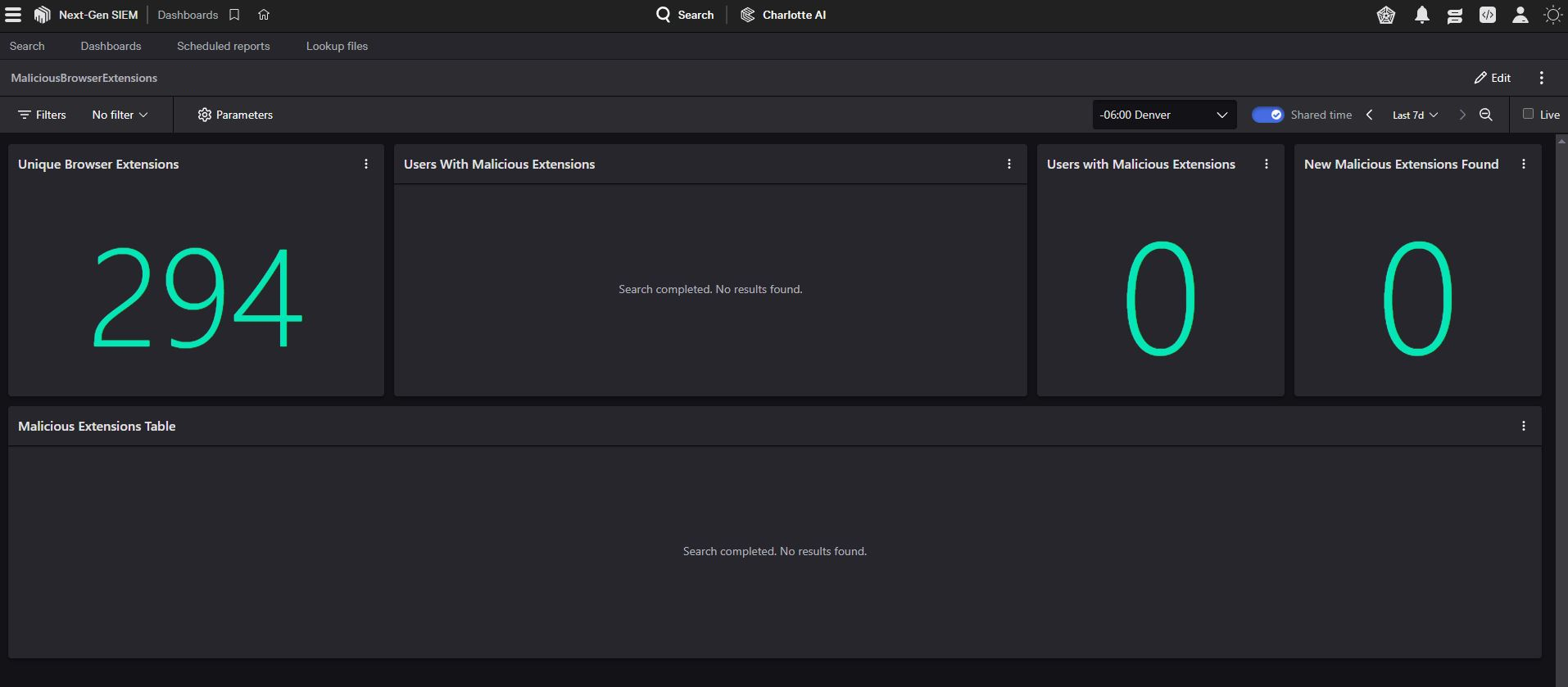
Good news in that screenshot: 294 unique extensions seen and zero hits against the list. Since the lookup file is just the CSV, keeping the dashboard current is as easy as pulling the latest version of the repo and re-uploading it.
Wrap up
If you do any threat hunting, detection engineering, or endpoint work, feel free to grab the list and use it however you like. If you come across research on new malicious extensions that I'm missing, let me know and I'll get them added.